Volux
Browser audio, finally behaved

Set once. Saved forever.

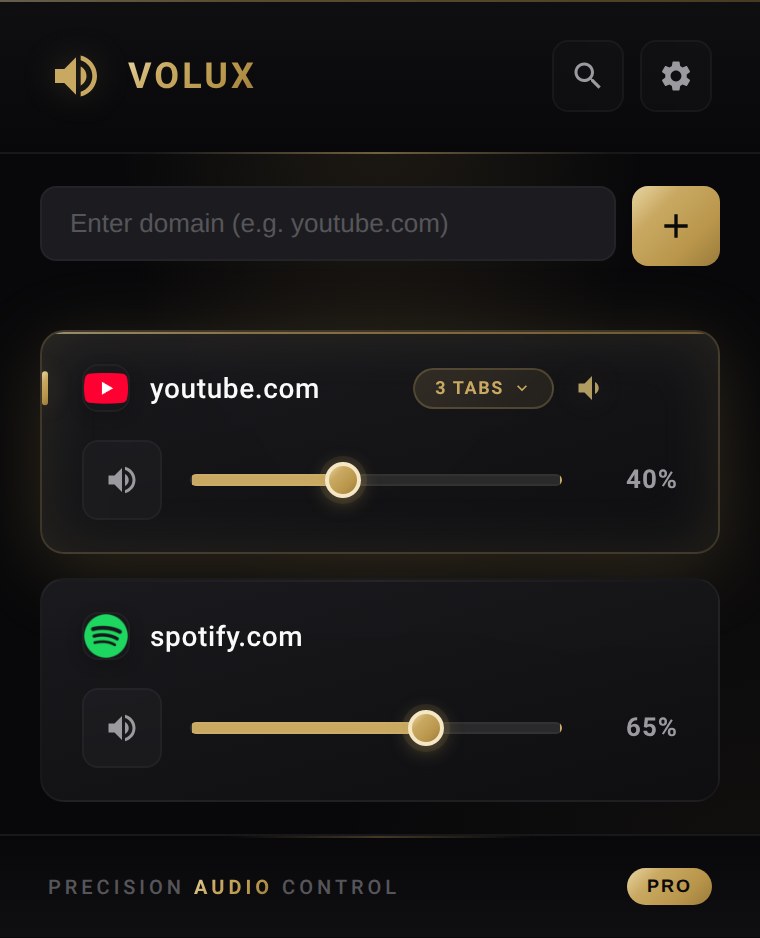
Volux remembers your volume for every website — YouTube at 30%, Facebook at 10%, Zoom at 100%. With Pro, every tab on any site can hold its own level too.
v1.0.5 · Chrome & Firefox Open source on GitHub No tracking, no accounts
CH-01 · OUTPUT
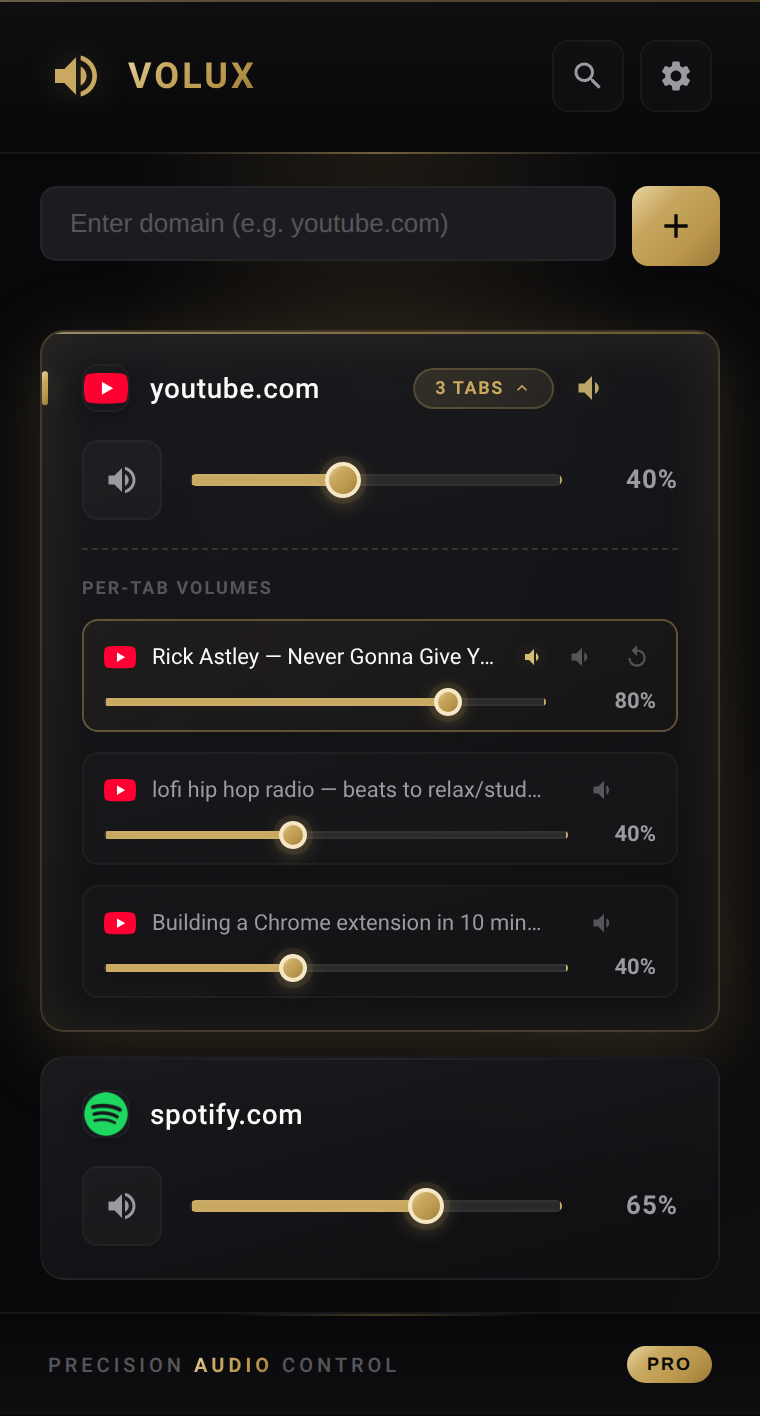
Volux popup with per-tab volume sliders — three YouTube tabs at three different volumes
01 · Capabilities

Solve your audio problems.

Every website at the exact level you want it. Every time. With zero friction after you set it once.

/ 01

Auto-Save Volume

Set YouTube to 30%, Facebook to 10% — Volux remembers, forever. No plugin UI to re-open.

/ 02

Different Volume Per Site

Zoom meeting, YouTube tutorial, Spotify in the background — each at the perfect level, no crosstalk.

/ 03

No More Volume Reset

Refresh the page. Close the browser. Reboot next week. Your levels stay exactly where you left them.

/ 04

Fix Loud Websites

Some sites blast at full volume no matter what. Pin them low once — problem gone permanently.

/ 05

Works Across Sessions

Volumes sync locally to your browser. No account required. No cloud round-trip.

/ 06

Lightweight

Runs entirely client-side. Measured in kilobytes. Zero background polling, zero telemetry.

Pro · Tab Override

One site. Three tabs. Three volumes.

Most extensions give you one volume per website. Volux Pro lets every tab of any site — YouTube, TikTok, Facebook, Spotify, Twitch — hold its own level independently, without touching the site default.

  • Expand Tap the N TABS badge on any domain to reveal every open tab with a dedicated slider.
  • Override Drag any tab’s slider to give it its own volume. The site default still covers anything you haven’t customized.
  • Dispose Close the tab or navigate away — the override clears automatically. Your site default stays clean.
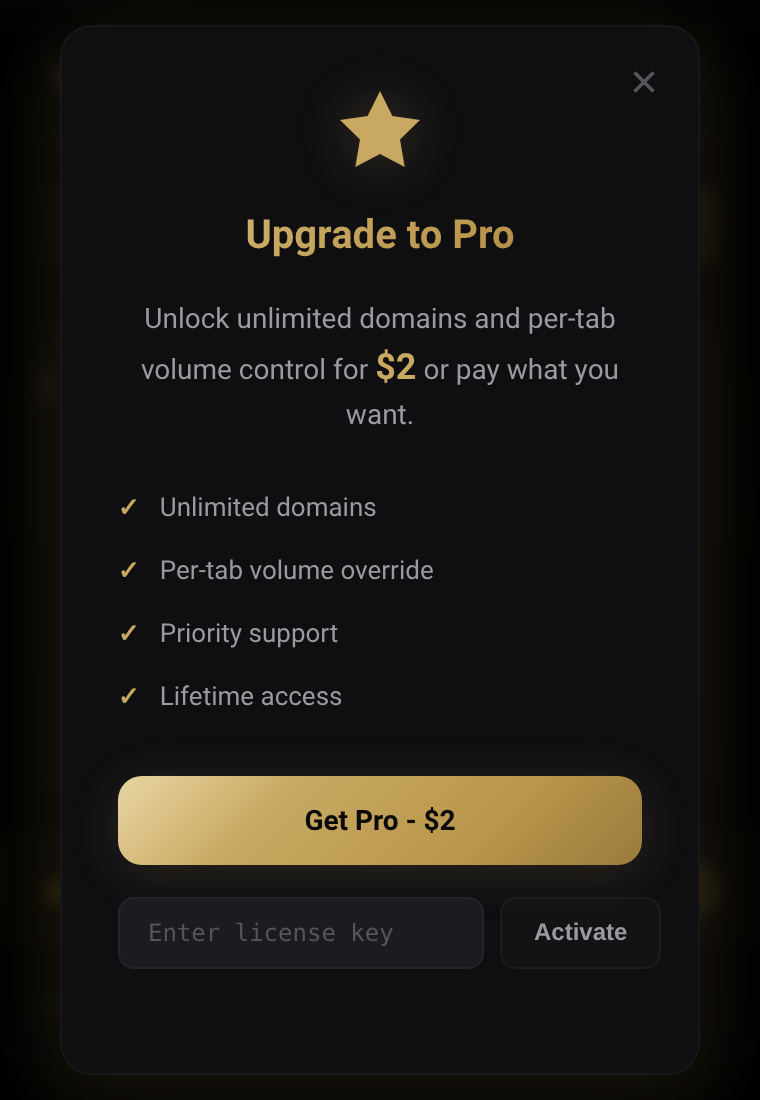
Unlock Pro · $2 one-time
8-second demo · Expand, drag, done
02 · Scenarios

Perfect for these situations.

Real audio frustrations Volux solves the moment you install it.

YT · Mastering

YouTube too loud?

Set YouTube to 30–40% permanently. Never get blasted by a loud ad, music video, or intro again.

Meetings

Zoom & Google Meet

Keep video calls at a stable, comfortable level while other tabs play at different volumes in parallel.

Multitask

Spotify + video at once

Background music at 60%, muted tutorial on the side, podcast in another tab at 80%. All set once, forever.

Social

Auto-play on Facebook & Twitter

Pin social feeds to 10–20%. Scroll without surprise-loud videos interrupting your flow.

Live

Twitch & gaming streams

Streamers have wildly different audio levels. Set a comfortable baseline that Volux applies every session.

Learning

Online courses

Udemy, Coursera, YouTube lectures — keep educational audio clear while entertainment tabs stay quieter.

03 · Setup

How it works.

Three small steps. After that, it’s automatic. Forever.

1

Install the extension

Add Volux to Chrome or Firefox with one click. No account. No setup. Icon appears in your toolbar instantly.

2

Adjust on any site

Click the Volux icon and drag the slider. YouTube at 30%. Podcast at 80%. It applies immediately.

3

Volux remembers

That’s it. Your levels are saved locally and reapplied every time, forever — across refreshes, restarts, and weeks.

Pro tip: by default, all tabs of the same site share one volume — same on YouTube, TikTok, Facebook, Spotify, anywhere. With Pro, expand the tab-count badge to give individual tabs their own level. The site default still covers any tab you haven’t customized.
05 · Pricing

Simple & honest.

Try free. Upgrade once. No subscriptions, no upsells, no telemetry.

Free Forever
$0

No account, no credit card.

  • Control 2 domains
  • Per-domain volume
  • Instant mute
  • Persistent settings
Install free
06 · Questions

Frequently asked.

Tap any question to expand. Shift-click to open in a new reading frame.

Why does my browser volume reset every time I refresh?
Browsers don’t save volume settings per website by default. Every refresh or reopened tab resets to 100%. Volux solves this by automatically remembering your preferred volume for each website, so you never have to adjust it again.
How do I set different volumes for YouTube and Spotify?
Each website gets its own independent volume slider. Set YouTube to 30%, Spotify to 80%, or any level you prefer. Volux saves these settings automatically and applies them every time you visit those sites.
Why is YouTube always too loud compared to other sites?
Different websites master audio at different levels. YouTube videos often ship louder than other content. Volux lets you pin a permanent lower volume for YouTube (or any loud website) so you never get blasted again.
Does Volux remember my settings after I close the browser?
Yes. Settings are saved in your browser’s local storage. Close Chrome, restart your computer, return days later — Volux applies exactly the levels you set for each website.
Can I control volume for Zoom, Google Meet, or Microsoft Teams?
Yes. Volux works with any website that plays audio, including video conferencing apps. Keep meeting audio at a comfortable level while other tabs play at different volumes.
Is Volux safe? What permissions does it need?
Volux is open source and privacy-friendly. It only requests permissions necessary to control audio on web pages. No personal data, no browsing history, no analytics. Code is reviewable on GitHub.
What’s the difference between Free and Pro?
Free lets you control volume for 2 websites — perfect to try. Pro ($2 one-time) unlocks unlimited websites, auto-detection of media sites, and the ability to scan all open tabs. Lifetime purchase, no subscription.
Does Volux work with multiple tabs of the same website?
Yes — two modes. By default, all tabs of the same site share one volume. With Pro, you can override any individual tab: three tabs on the same site can hold three different volumes simultaneously, and the site default still covers any tab you haven’t customized.
Can I set different volumes for multiple tabs of the same site (YouTube, TikTok, Facebook…)?
Yes, with Volux Pro. It works on any site with audio — YouTube, TikTok, Facebook, Spotify, Twitch, SoundCloud, news sites, anywhere. Click the “N tabs” badge on a domain card to expand a per-tab list, then drag the slider on any tab to give it its own volume. The override clears when you close that tab or navigate it to a different site, so your site-wide default stays clean.
07 · Partners

Friends of Volux.

Tools and services we use or recommend. Affiliate links — we may earn a small commission at no extra cost to you.

BINANCE
Bonus

Sign up and get up to $100 USDC welcome bonus on the world's largest crypto exchange.

Claim bonus
SHOPEE
Hot

Curated stickers and accessories at great prices.

Shop now
TikTok Shop
Deal

Discover trending products and creator deals.

View deals